Sovereign identity · private by construction

Talk to the people you love.Nobody else can listen.

ORBLINK is a communicator, an identity wallet and a payment key in one app — built on a security key your phone makes and no company can ever hold. There is no account to create.

Free to use · nothing to sign up for · your key never leaves your phone

0servers that can read you
1key, made by your phone
20languages at launch
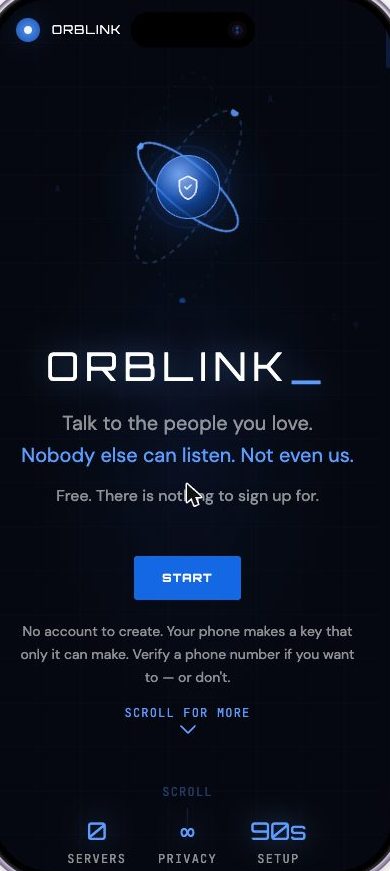
ORBLINK welcome screen on a phone
The problem

Your number is already everywhere.

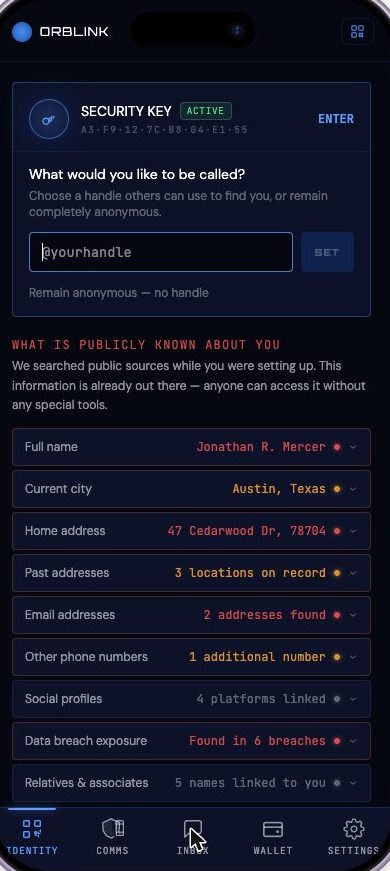
The first time you open ORBLINK, it shows you what the public internet already holds about your phone number. Not to frighten you — to show you exactly what you have never been able to control.

Every one of these is available to anyone, today, with no special tools. This is the world identity was never designed for.

ORBLINK showing what public sources already hold about your number
The idea

Stop sending your data. Start sending proof.

Every website that asks for your ID today takes a copy of it. A copy can leak, be sold, or sit in a database for a decade. Self-sovereign identity replaces the copy with a proof: a signed, single-purpose answer that says yes or no — and nothing else.

Three parties. One key. No middleman.

This is the trust triangle every credential in the world runs on — a passport office, you, and the person at the door. ORBIS.ID is the layer that makes it work online.

publishes what it signs issues to you you present a proof ISSUER bank · state · employer VERIFIER shop · site · doorman YOU the only one holding it

The key is made by your phone

It lives inside the hardware chip — never in an app, never on a server. It cannot be copied, exported, or recreated. Not even by us.

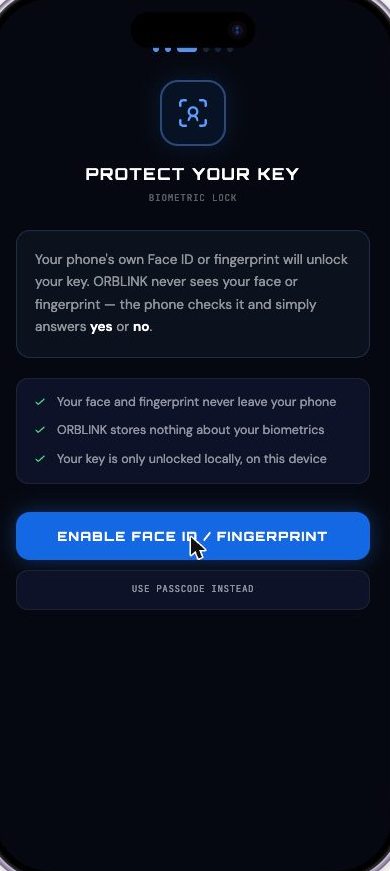
Your face unlocks it. We never see it.

Face ID or your fingerprint asks the phone, and the phone answers yes or no. Your biometrics never leave the device and ORBLINK stores nothing about them.

Nobody gave it to you

No company created your account, so no company can suspend it, delete it, or lose it in a breach. There is nothing for anyone to revoke.

Try it — no app needed

Three things you do every week.
Here is how they work with ORBLINK.

Press play. The left side is the website or the shop. The right side is your phone. Watch what actually crosses between them — and what never does.

Demo 01

Proving you are over 21, without showing your ID

proof · over_21 = true · signed
https://vinly.example/checkout
VINLY
Natural wine, delivered. Order #4471

This order contains alcohol. We must confirm you are over 21.

Prove with ORBLINK

Upload a photo of your licence · or use ORBLINK

ORBLINK
Locked · nothing is happening
Demo 02

Signing in with no username, no password, no reset email

same key returned · signed challenge
https://app.northwind.example/login
NORTHWIND
Sign in to your workspace

Scan with ORBLINK. No email required.

ORBLINK
Tap scan to begin
Demo 03

Paying with one scan and one signature

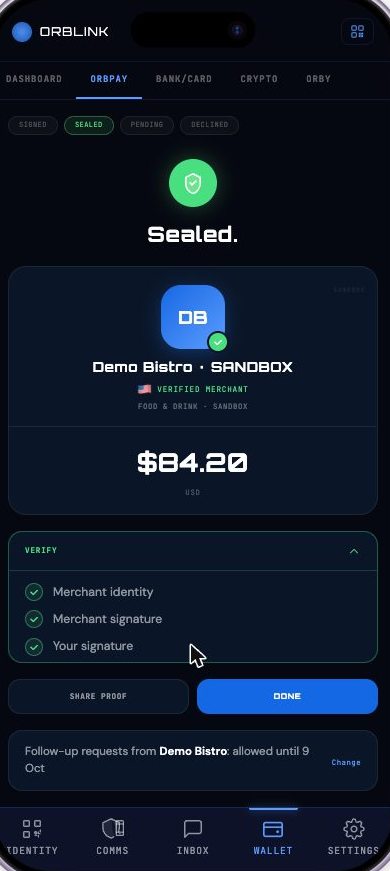
one signature · $84.20 · sealed
Demo Bistro · table 7 · terminal
DEMO BISTRO
Verified merchant · food & drink
Tasting plate$46.00
Glass, Nebbiolo$24.00
Tax$14.20
TOTAL USD$84.20

Scan the code on the check to pay.

ORBLINK
Scan to pay
Inside the app

Set up in about ninety seconds.

No email. No password. No profile to fill in. The app makes your key, shows you what the world already knows about you, and hands you a passport that lives on your phone alone.

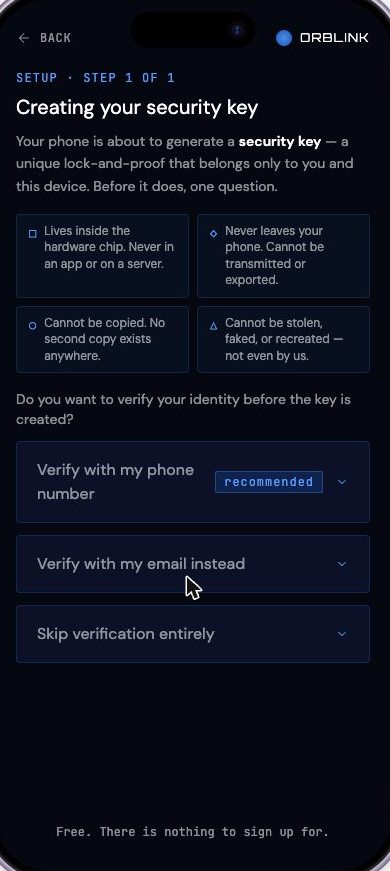
Creating your security key
Step oneYour phone generates a key that cannot be copied, exported or recreated — and asks whether you want to verify yourself first.
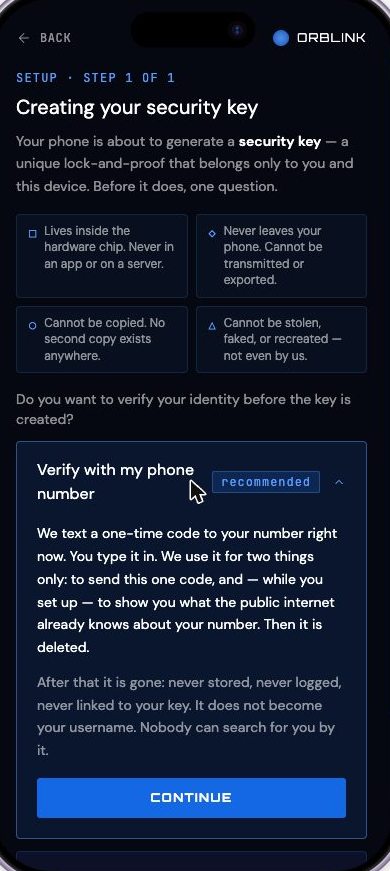
Phone verification explained
One code, then deletedYour number is used to send a single code and to show you your public exposure. Then it is gone — it never becomes a username.
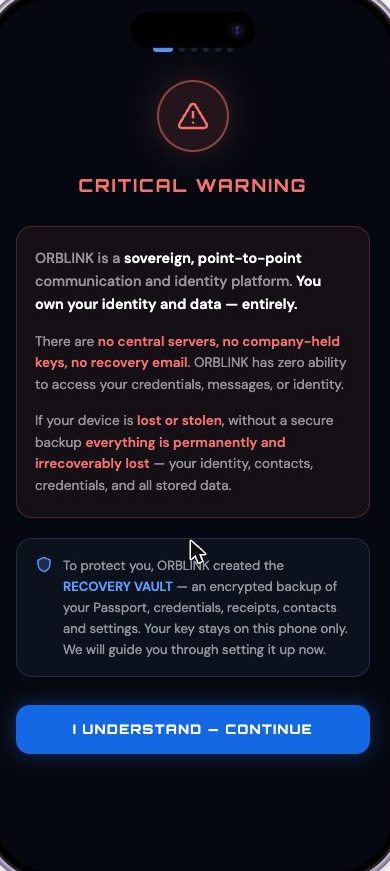
Critical warning about sovereignty
The honest warningSovereignty cuts both ways. The app tells you plainly that nobody can recover your identity for you.
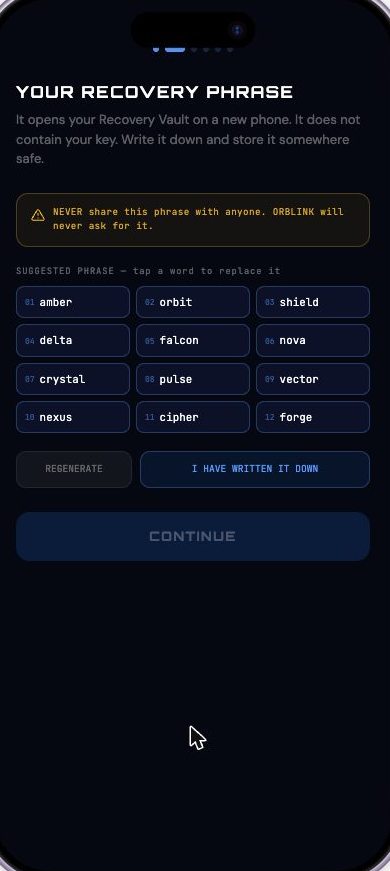
Recovery phrase
Your recovery phraseTwelve words that open your vault on a new phone. It does not contain your key — nothing does.
Biometric lock
Your face, your lockThe phone checks your face and answers yes or no. ORBLINK stores nothing about your biometrics.
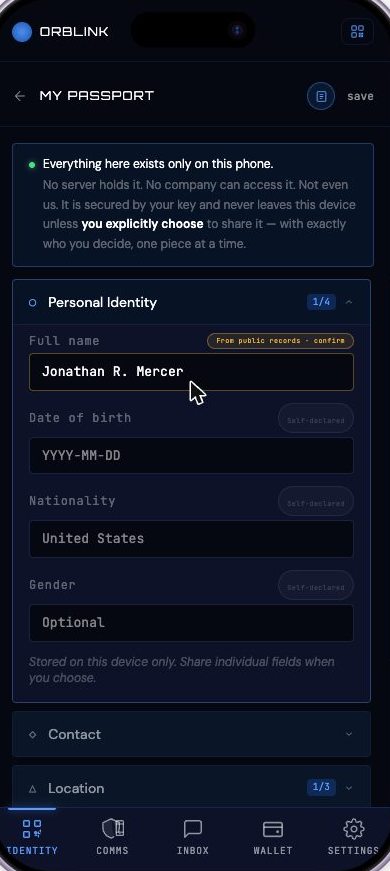
ORBLINK passport
Your passportPersonal details, contact, location and documents — stored on this device only, shared one field at a time.
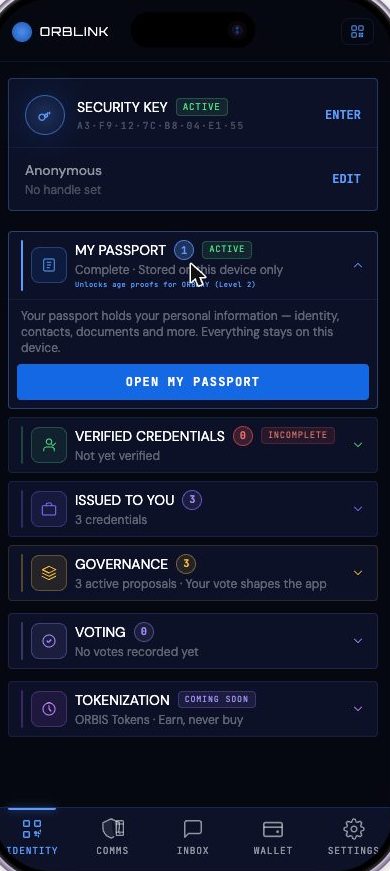
Identity hub
Everything you holdPassport, verified credentials, what others issued to you, governance votes and tokens — in one place.
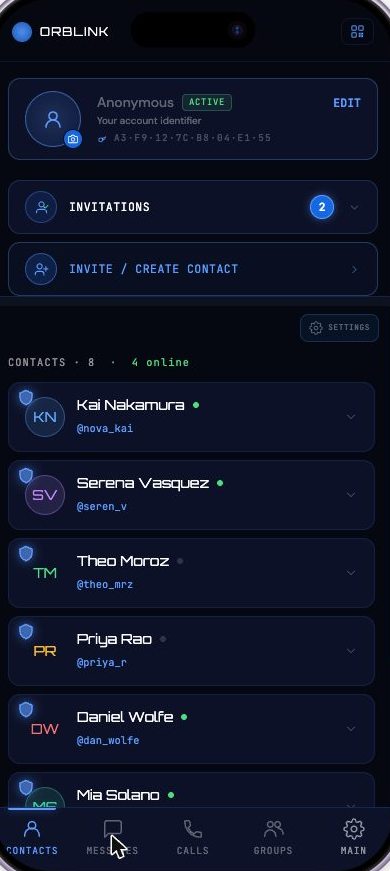
Contacts and messaging
Talk, sealedCalls, messages and files are sealed on your phone before they leave it. Only the person you sent them to can open them.
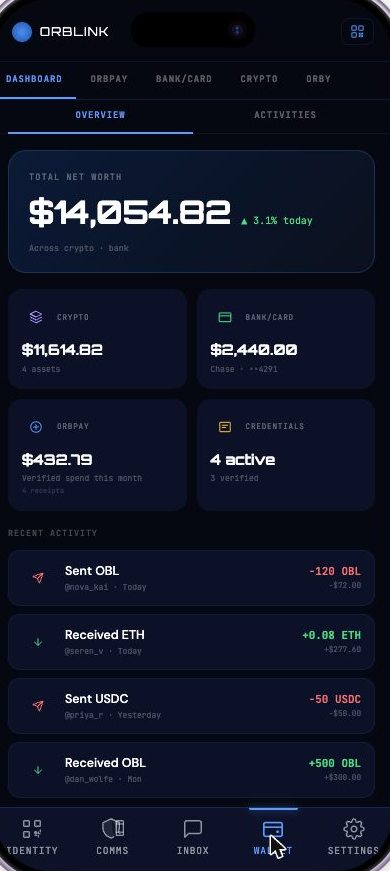
Wallet dashboard
One walletCrypto, bank and card, ORBPAY receipts and your credentials — held together, held by you.
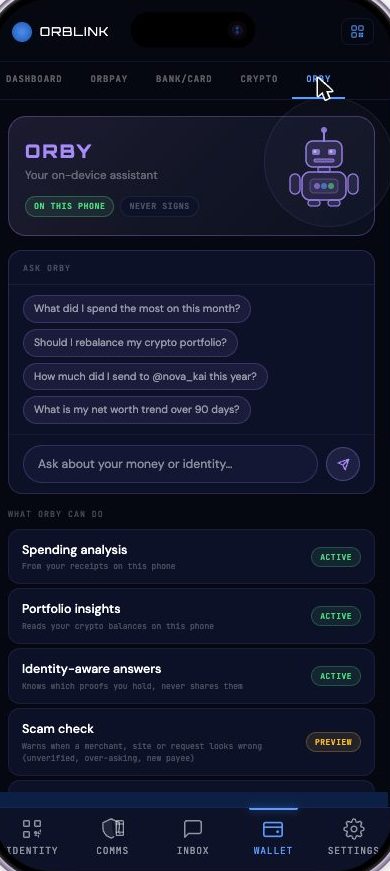
ORBY assistant
ORBY, on this phoneAn assistant that reads your receipts and balances locally — and never signs anything on your behalf.

Screens from the current beta build. Scroll the row →

ORBPAY

You never send your data.
You send certified proof.

ORBPAY collapses two moments into one. Today you prove who you are, then you pay — two forms, two risks, two copies of you left behind. ORBPAY makes it a single signature that carries both, and the amount is sealed the instant you make it.

01
The offer

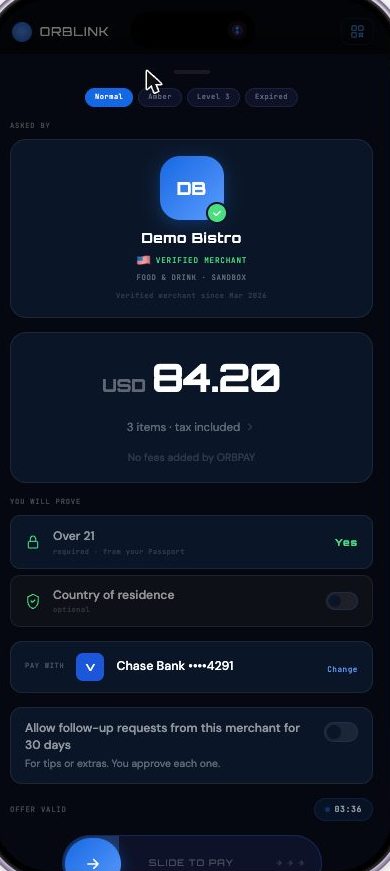
The merchant signs what it is asking for: items, amount, and which proofs it needs.

02
The check

Your phone verifies the merchant's signature before showing you anything at all.

03
The signature

One biometric approval covers identity and payment together. Amount locked.

04
The charge

The merchant's own gateway moves the money. ORBIS is not in the payment path.

05
The seal

A receipt both sides can verify years later, offline, without asking us.

What makes it different from every wallet you have used

Merchants can ask. Only you can charge.

There is no stored mandate a merchant can draw on. Every amount needs a fresh signature from your phone.

The amount cannot move after you sign.

Tips, extras and corrections are new requests you approve one at a time — never an edit to what you already agreed.

Your card number never leaves the phone.

Payment instruments live in the hardware-sealed store on your device. No ORBIS server holds, receives or mirrors them.

Fiat and crypto, one gesture.

Bank, card or stablecoin — the same single confirmation, with no account numbers to hand over and no exchange rates to manage.

ORBPAY verified offer screen
ORBPAY sealed receipt with offline verification
The layer underneath

ORBIS.ID — the trust fabric ORBLINK runs on.

ORBLINK is the app you hold. ORBIS.ID is the open identity layer beneath it: the registry that says which issuers are real, the signatures that make a proof checkable, and the rails that let any shop, site or government office verify what you present — without calling us and without ever seeing your data.

Verification is free. Forever.

Anyone can check a proof at no cost. A trust layer that charges for the truth stops being a trust layer.

We hold no keys, funds or data.

Not a policy — a construction. There is no vault of personal data to subpoena, sell or lose.

Open standards, not our dialect.

OID4VCI, OID4VP, SD-JWT VC and did:web — the same standards European digital identity wallets are built on.

Your country, your data.

Deployments run in-country, so what happens in a region stays in that region by construction, not by promise.

Members own it, and members steer it

ORBLINK carries governance in the app: live proposals, and a vote that actually shapes what gets built. ORBIS Tokens are earned through participation — they cannot be bought.

What it costs you

The app, the key, your passport and every proof you present are free. An optional Recovery Vault — an encrypted backup of everything except your key, plus your identity check — is $0.99 a month, billed annually. That is the whole price list.

Beta programme

Get the beta.

The ORBLINK beta is free, and always will be. You will need a phone with Face ID, Touch ID or a Class 3 Android biometric — that is where your key is made.

Beta builds include live messaging and calls, your passport and proofs, and the ORBPAY sandbox. Nothing in the beta moves real money.

TestFlightiPhone beta Google PlayAndroid beta

Not on a phone right now? Get the link when the build opens.

We keep the address for this one message and nothing else.

Straight answers

What people ask first.

If there is no account, what stops someone pretending to be me?

Your key. It is generated inside your phone's security chip and cannot be copied out of it, so a proof signed by that key could only have come from your device, unlocked by your face or fingerprint. There is no password to guess and no account to take over.

What happens if I lose my phone?

The app is direct with you about this: your key cannot be recovered, because no one else ever had it. What can be recovered is everything around it — your passport, credentials, receipts, contacts and settings — if you turned on the Recovery Vault. A new phone makes a new key, your twelve-word phrase opens the vault, and your credentials are re-issued to the new key.

Without the vault, a lost phone means starting over. We would rather tell you that plainly than pretend otherwise.

Why does ORBLINK show me my own exposed data during setup?

Because the argument for owning your identity is abstract until you see what not owning it looks like. During setup — if you verified your number — the app searches public sources and shows you what is already out there: addresses, relatives, breach appearances. It is your data, shown to you on your own phone, and it is not sent anywhere.

Do you make money from my data?

We cannot. We never hold it. The only charge anywhere in the product is the optional Recovery Vault at $0.99 a month, which pays for encrypted storage and the recovery infrastructure, and includes your identity check. Verification stays free for everyone, permanently.

Is this only for crypto people?

No. The most common uses are the ordinary ones: proving your age without showing a document, signing in without a password, paying a bill without handing over a card number, messaging without a company reading it. The wallet holds crypto if you want it to, and does nothing if you do not.

Can a shop charge me again later?

Not without you. There is no stored mandate. If a merchant needs a tip or an extra, it sends a new request that appears on your phone and waits for a new signature. You can also allow follow-up requests from one merchant for a set period — and every one of them still needs your approval.

Which standards does it use?

OpenID for Verifiable Credential Issuance and Presentation, SD-JWT verifiable credentials, DCQL and did:web, with signed status lists — the same family of standards behind European digital identity wallets. Conformance is tested continuously rather than claimed.